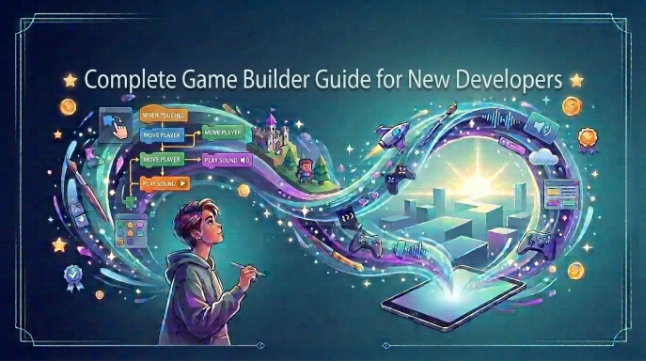
Complete Game Builder Guide for New Developers
For novice developers, getting started with their first game can be an exhilarating prospect, but also one that can make their heads spin. You have a brilliant concept in your head but no idea where to start, what tools to use, or how much coding is involved. That’s why a game builder like Astrocade, a gaming platform that makes you a game, for beginners, can make things easy for them.
This is basically a little primer on designing games in English. You’ll investigate game design and coding logic, take advantage of convenient features, test and share your finished project and more, so you can bring your game idea to life with Astrocade.
Game Builder Basics
A game builder provides the tools to create a game without having to develop it all from the ground up. Depending on the platform, you might be given visual editors, templates, asset libraries, level design tools and/or scripting capabilities. These are some things that help novice developers to understand how the various elements in a game come together.
Start small before you try to make a blockbuster.For example, you could make a simple platform game in which the player jumps over holes in the ground and collects coins. Starting with small projects helps you to learn important game design skills and gameplay production pieces without being overwhelmed by size.
Simple Game Design
Successful game design starts with an objective. What does the player have to do, how will they move the character, and what makes this fun? Move. collect items, dodge enemies, go to the next level is a simple gameplay loop.
Game levels should be designed in advance before they are built. Consider the player’s pacing and gradually ramp up the difficulty. Minimalistic character design, clear menus and easy to comprehend UI make your game much more fun.
Coding Game Logic
Coding tells your game how it should respond to the game player. You can use code or visual scripting to set up your movement, scoring, health, enemy, and other game mechanics. If you’re complete beginner to coding, learning a few fundamental concepts like variables, conditions, and events can actually go a long way in helping you understand your project.
For instance, a rule may say add one point every time the player picks up a coin. Another rule could be to take the health away the character has when it touches an enemy. Begin with tiny chunks of programming logic and test each piece before going on to the next.
Adding Game Features
When you have the basics of the game down and working you can add a few things to spice it up. These can be sounds, background music, additional enemy types, power ups, new levels, animations and special powers. Include features one at a time so it doesn’t become too much to handle.
Game material are just as important and relevant in end product. You can select characters, backgrounds, objects, icons and sounds that fit the style of your game. But don’t add features just because they look cool. Each feature must have a purpose in either gameplay or player-experience enhancement.
Testing And Sharing
Testing is an essential part of game production. Give it a few more playthroughs to track down any bugs, such as non-functional controls, missing items, inaccurate scores or levels that are too difficult. You can also get other people to play it, as they may be able to spot the flaws that you have missed.
After the big bugs are out of the way, you can begin preparing the game for primetime. Depending on which platform you chose, you can release it to your friends, to the public online, or even create builds for different devices. Just keep tuning your game as you get feedback, and the first thing you make doesn’t have to be perfect.
Conclusion
Developing a game is intimidating when you’re starting out, but you just dive in and pretend to know what you’re doing. A game coder veteran can teach you the basics with a real game you bring up. Start with a small idea, implement the core gameplay, then add new features as your skills progress.
The first and biggest step is to get started. Football Tycoon Ultimate is a simple game, yet it can teach you so much about gameplay, design, and creativity. With each project you create, you will become more confident in your abilities as you put your wares through the testing gauntlet, crushing bugs and prototyping new ideas.
See also: WPS Official Website: Your Complete Guide to WPS Office
FAQs
What is a game builder?
Game builder is a software or online platform that helps people make games. It can have a lot of features like visual editors, templates, assets, and coding or scripting capabilities.
Can beginners use a game builder?
Yes. Most game creation systems are made for amateurs with simple user interfaces. You can begin with easy projects and gradually progress to more advanced features.
Do I need coding skills to make a game?
Not yet. There are some platforms with visual scripting and drag and drop tools. But knowing some basic coding can allow you to do more with the mechanics of your game.
What should my first game be?
Clubs are advised to start with something small and simple. A simple platformer, puzzle game or coin-collecting game can teach you about movement, levels, scores and game logic.
How can I improve my first game?
Test frequently and seek feedback from others. Debug and polish the controls, levels, graphics, sounds and any other features which you think players will enjoy.